Demo switcher
An ATEM switcher simulator on your Android phone
Updated
Short answer
ProSwitcher, the Android control app for ATEM switchers, has a demo switcher built in: a complete simulated ATEM with eight cameras, keyers and picture-in-picture, SuperSource, media players, Fairlight audio, streaming, recording and a multiview, running entirely on your phone or tablet. Tap “Try the demo switcher” on the first screen. Every panel opens in it, with no hardware, no network, no account, no purchase and no trial.
Get it on Google Play Free for switching · Android phones and tablets · iPhone and iPad coming soon
What the demo switcher simulates
- Eight camera inputs, plus black, colour bars, two colour generators and two media players as sources.
- Four upstream keyers with a DVE for picture-in-picture, and two downstream keyers.
- Media players, a SuperSource and aux outputs.
- An audio mixer with Fairlight EQ and dynamics.
- A streaming encoder, a recorder and a multiview. Its ON AIR and REC go nowhere: nothing is streamed or recorded.
- Cut, Auto, the T-bar and Fade to Black, behaving as they do on hardware.
- A top bar badged DEMO, so it cannot be mistaken for a live switcher.
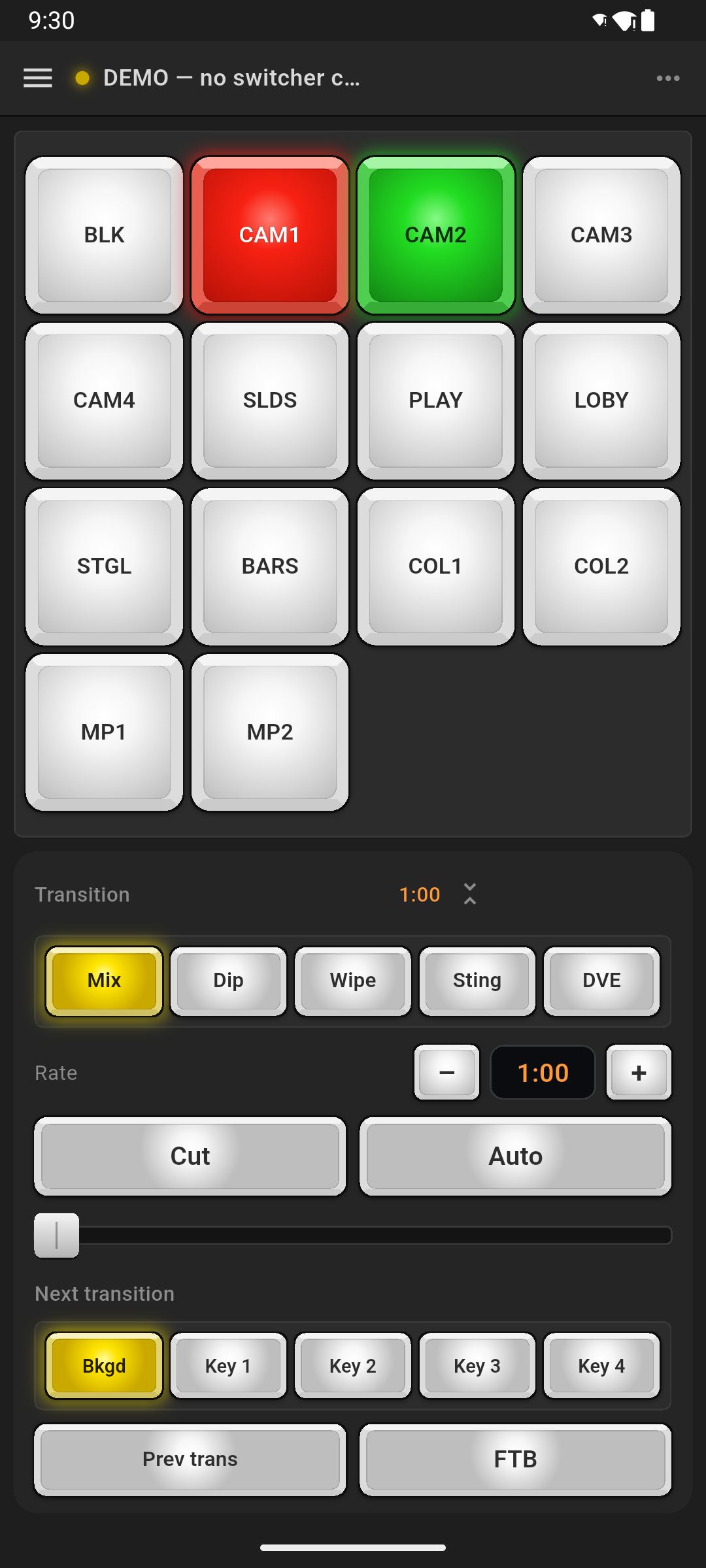
Every panel is open in the demo
The demo controls nothing real, so it opens every panel with no purchase and no trial: switching, keyers and picture-in-picture, transitions, media, audio, SuperSource, streaming, recording, multiview, macros, aux and colour. Try every panel before you pay. On a real switcher, switching stays free and the rest needs Pro or the 14-day free trial.
Who it is for
- Volunteer training. New operators practise mid-week without touching the real system. See ProSwitcher for churches.
- Learning before you buy a switcher. See how an ATEM control surface works before you own one.
- Rehearsing. Walk through a run of show on the train.
- Checking the app. Try every panel before you buy Pro.
How to open it
Install ProSwitcher
Free from Google Play, for Android 7.0 or later.
Tap “Try the demo switcher”
It is on the first screen, before you connect to anything.
Start switching
Tap sources, drag the T-bar, take keys on air, place a picture-in-picture, go on air. Nothing you do reaches a real switcher.
What it is not
The demo switcher runs inside ProSwitcher only. It is not a network emulator: ATEM Software Control and other apps cannot connect to it. Developers who need a simulated switcher on the network use open-source tools built for that job.
Questions
Is the demo switcher free?
Yes. The demo switcher is part of the free app, and every panel opens in it with no purchase and no trial. It controls nothing real: its ON AIR and REC go nowhere.
Does the demo need Wi-Fi or an ATEM?
No. It runs entirely on your phone or tablet, with no switcher and no network connection.
Can ATEM Software Control connect to the demo switcher?
No. The demo switcher lives inside ProSwitcher and does not appear on the network, so other apps cannot connect to it.
Is ProSwitcher on iPhone or iPad?
Not yet. ProSwitcher runs on Android phones and tablets today. iPhone and iPad versions are planned, but there is no release date and no App Store listing yet. To hear when it is out, email support@proswitcher.app.
Try the demo switcher today.
Install ProSwitcher free from Google Play and tap “Try the demo switcher”. No ATEM, no account.
Related
For churches
Let volunteers switch from anywhere in the room, and train mid-week.
ATEM Mini on Android
Control an ATEM Mini, Mini Pro or Mini Extreme from your phone, in three steps.
Wi-Fi setup guide
The ATEM has no Wi-Fi. How to wire it so your phone can still run the show.
ATEM apps compared
ATEM Software Control, MixEffect, TouchDirector, Strata Pro and Android apps.